Broadcast Message
Create the Messaging Template
Broadcast Message:
Once the information template has been submitted, you shall see it on the screen. Click on the template name.

Click on Create Template button.

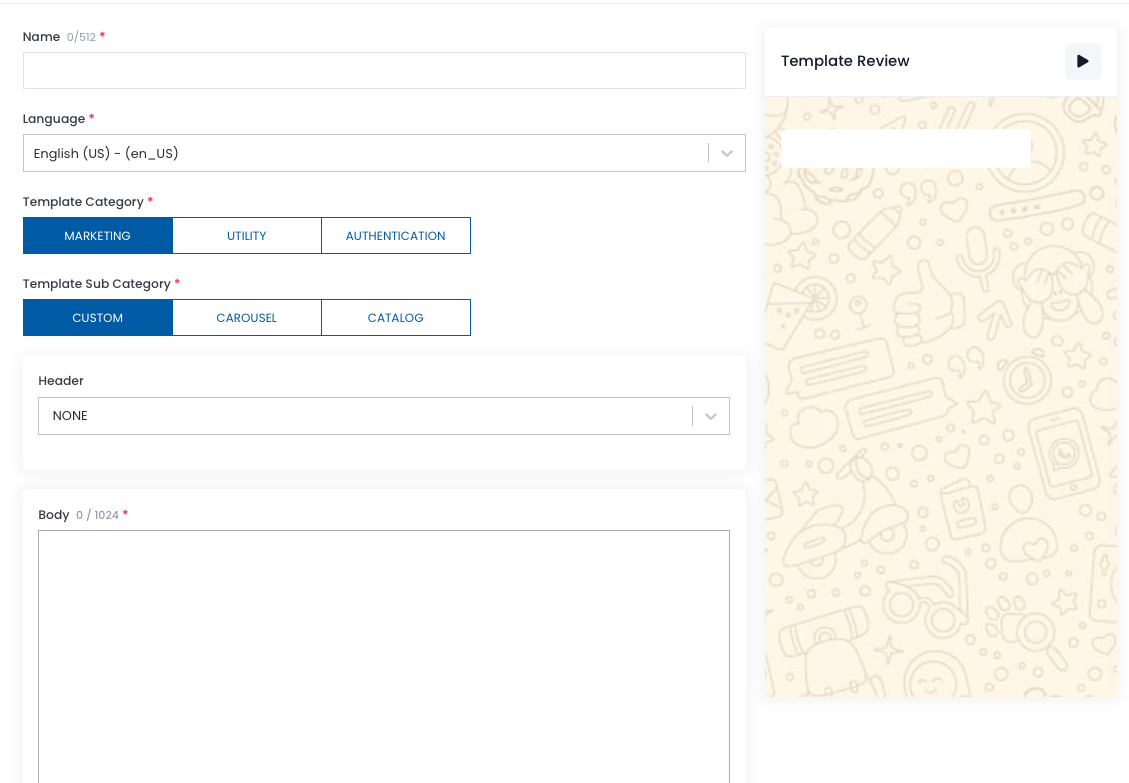
Standard Marketing Broadcast Message
Fill the name, select Marketing and followed by Custom. Select the Header, fill in the Body and Footer (if needed).
Carousel Marketing Broadcast Message
Click on Carousel in the sub-category and fill up all relevant information.
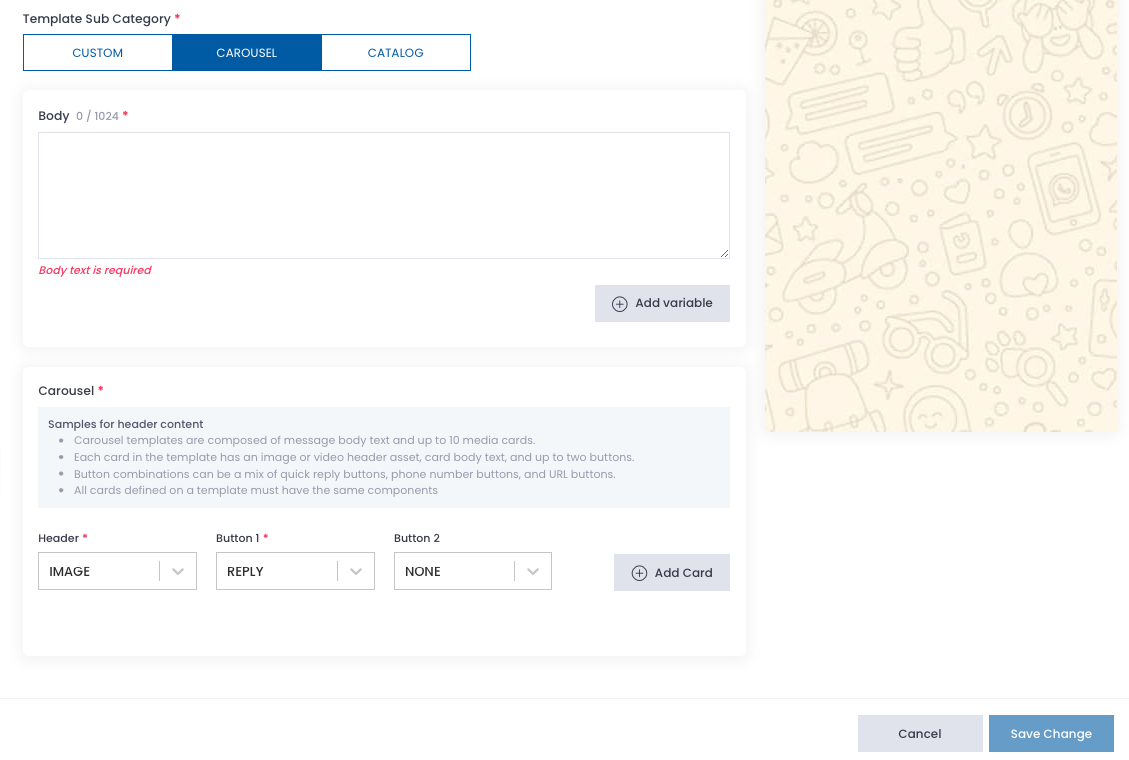
Click Save Change when the information is filled.