WhatsApp Template
A template is required to determine whether a WhatsApp message is intended for broadcast or conversational use. Broadcast message templates must be submitted for verification and approval by Meta. Before creating any template, please review WhatsApp’s policies to ensure compliance with broadcast messaging guidelines and to avoid potential account restrictions or suspension.
WhatsApp Messaging Policy:
https://business.whatsapp.com/policy
Create a New Template:
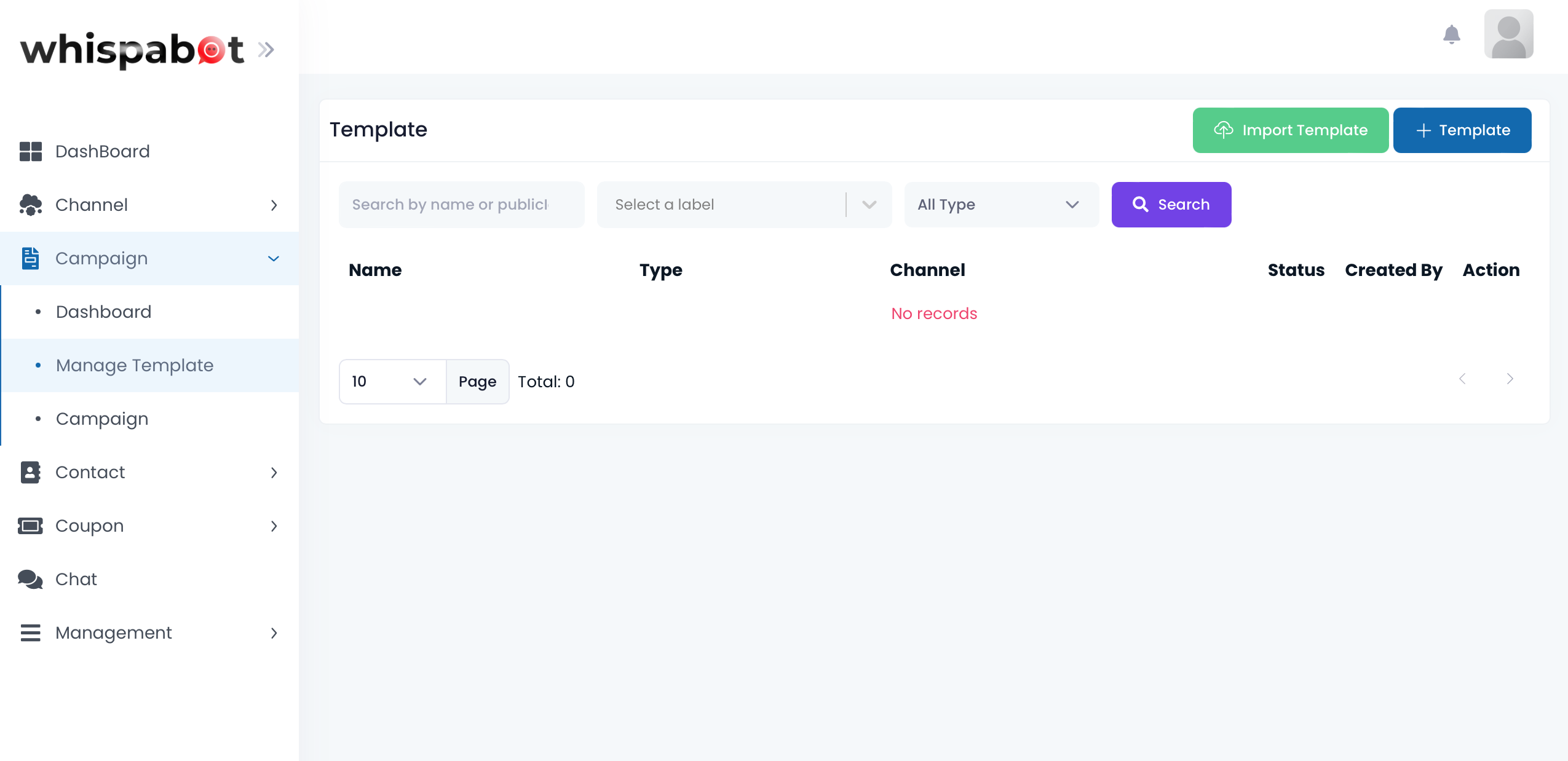
Click on Campaign > Manage Template on the left sidebar menu. Then click on "+ Template" on the top right corner.
New Template Information
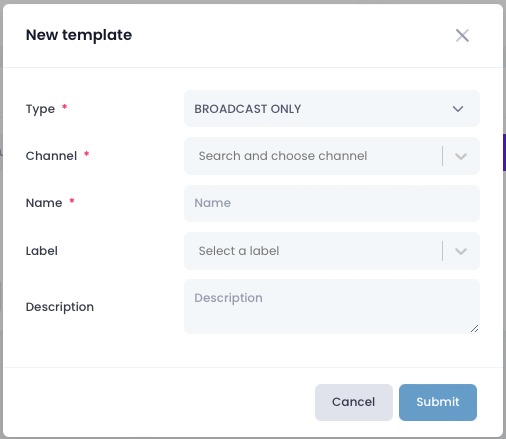
a. Type: Broadcast only or Conversation.
- Broadcast only: Only broadcasting without reply from customer.
- Conversation: Continue with customer conversation after broadcast message.
b. Channel: Choose your imported WhatsApp Business Account (WABA).
c. Name: Template name.
d. Label: Template label (for platform).
e. Description: Template description.